 CodeBrisk
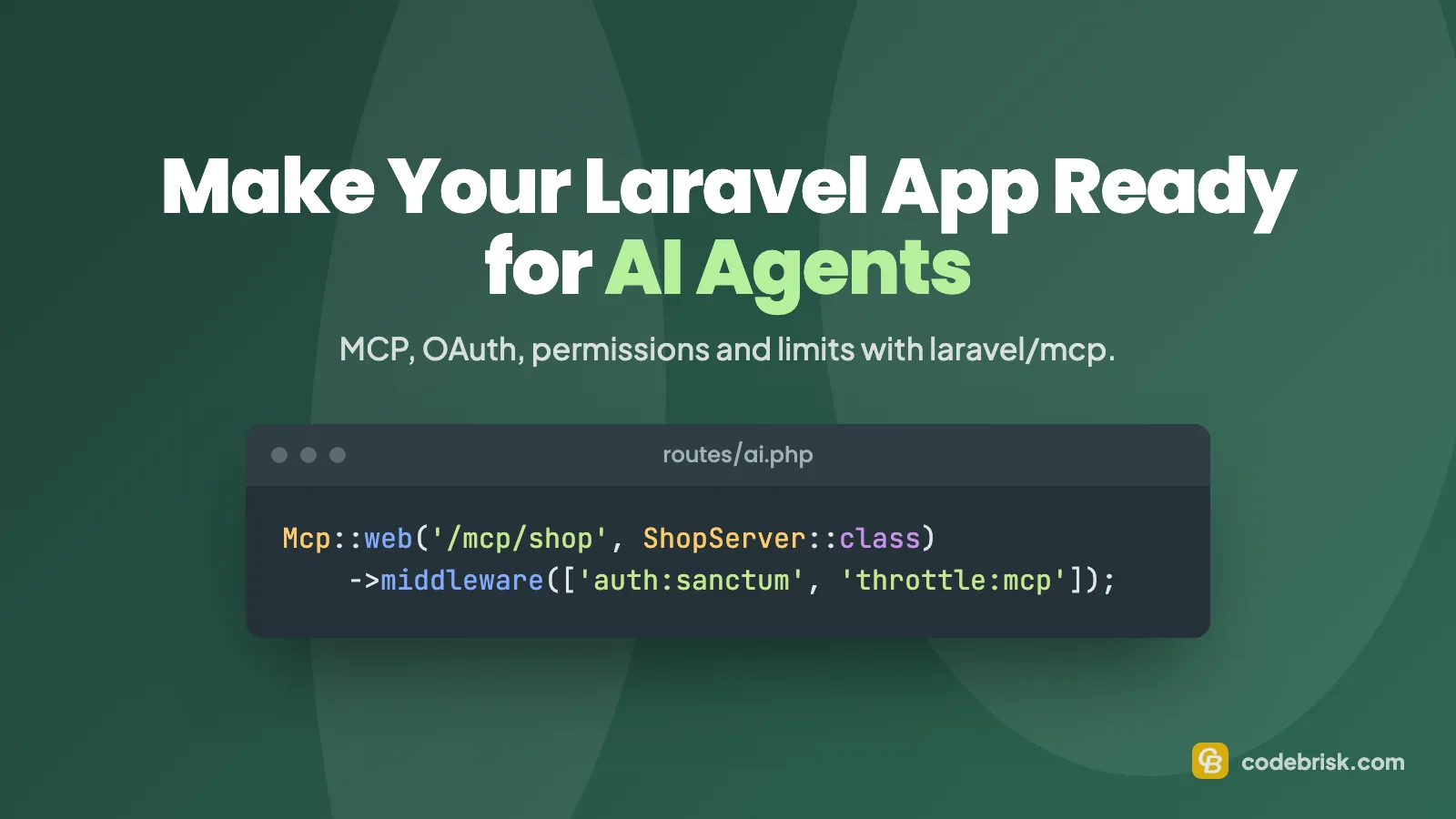
AI agents are starting to act for your users: ChatGPT, Claude, Meta's assistant and others want to check an order, update a setting or file a request inside your product. If your Laravel app only has web pages, agents either can't help your users or they click through forms built for humans, slowly and unreliably.
The short answer: make your Laravel app agent-ready by exposing a small set of well-described actions through an MCP server built with the official laravel/mcp package, protected by OAuth (Laravel Passport) or API tokens (Sanctum), with read and write permissions separated in your own code, rate limits, validation, an audit log and tests. Start read-only, then add write actions with safety nets.
This guide is for CTOs and tech leads with a Laravel product. It shows the decisions, the code and the mistakes to avoid, based on the official documentation and on the MCP server we run in production on our own site.
What does "agent-ready" mean?
An agent-ready app gives AI agents a reliable, permissioned way to do what your users ask, instead of scraping pages. In practice, agents reach a business in one of three ways, which is also how the new Personal Agent Protocol from Sierra and Meta describes it:
| Route | What you build | Effort |
|---|---|---|
| Website | Clear pages and structured data | Low |
| API | An MCP server or an OpenAPI-described REST API | Medium |
| Your own agent | A support or sales AI agent that other agents can talk to | High |
For most Laravel apps, an MCP server is the best place to start. The Model Context Protocol (MCP) is the common standard AI tools use to call an application's functions, and Laravel has an official package for it.
Step 1: Choose the tasks, not the endpoints
Don't expose your whole API. List the tasks users would actually delegate: "what's the status of order A-10432", "change my delivery address", "download last month's invoice". Each task becomes one tool with a clear name, description and inputs.
Two rules help:
- Start with read-only tasks. They carry the least risk and teach you how agents use your app.
- Keep the list short. Agents choose tools from their descriptions, and long tool lists cost them context.
laravel/mcp1.0 added a searchable tool catalog for servers with many tools; Laravel suggests it once you pass 10–15 tools (Laravel blog).
Step 2: Install laravel/mcp
The current version is 1.1.2 (26 October 2026), for Laravel 12 and 13 (releases). Install it and publish the AI routes file:
composer require laravel/mcp
php artisan vendor:publish --tag=ai-routes
php artisan make:mcp-server ShopServer
php artisan make:mcp-tool GetOrderStatus
A server groups your tools and tells agents what it is for:
<?php

namespace App\Mcp\Servers;

use App\Mcp\Tools\ChangeDeliveryAddress;
use App\Mcp\Tools\GetOrderStatus;
use Laravel\Mcp\Server;
use Laravel\Mcp\Server\Attributes\Instructions;
use Laravel\Mcp\Server\Attributes\Name;
use Laravel\Mcp\Server\Attributes\Version;

#[Name('Acme Shop')]
#[Version('1.0.0')]
#[Instructions('Look up and manage the signed-in customer\'s orders. Confirm with the customer before changing anything.')]
class ShopServer extends Server
{
    protected array $tools = [
        GetOrderStatus::class,
        ChangeDeliveryAddress::class,
    ];
}
Step 3: Write a read-only tool
A tool has a description, an input schema and a handle() method. Write the description for a language model: say what the tool does in terms of the user's task.
<?php

namespace App\Mcp\Tools;

use Illuminate\Contracts\JsonSchema\JsonSchema;
use Laravel\Mcp\Request;
use Laravel\Mcp\Response;
use Laravel\Mcp\Server\Attributes\Description;
use Laravel\Mcp\Server\Tool;
use Laravel\Mcp\Server\Tools\Annotations\IsReadOnly;

#[Description('Get the status and expected delivery date of one of the signed-in customer\'s orders.')]
#[IsReadOnly]
class GetOrderStatus extends Tool
{
    public function schema(JsonSchema $schema): array
    {
        return [
            'order_number' => $schema->string()
                ->description('The order number from the confirmation email, e.g. "A-10432".')
                ->required(),
        ];
    }

    public function handle(Request $request): Response
    {
        $validated = $request->validate([
            'order_number' => 'required|string|max:20',
        ], [
            'order_number.required' => 'Ask the customer for their order number.',
        ]);

        $order = $request->user()->orders()
            ->where('number', $validated['order_number'])
            ->first();

        if (! $order) {
            return Response::error('No order with that number for this customer.');
        }

        return Response::structured([
            'status' => $order->status,
            'expected_delivery' => $order->expected_delivery_at?->toDateString(),
        ]);
    }
}
Note the validation messages: the documentation stresses clear, actionable errors because the agent reads them and acts on them. Scoping the query to $request->user()->orders() means an agent can never see another customer's data.
Step 4: Choose how agents authenticate
laravel/mcp supports two options (docs):
Laravel Passport (OAuth 2.1) is what the MCP specification documents and what Laravel recommends when possible. It lets a user connect an AI tool by signing in, without copying keys:
use Illuminate\Support\Facades\Route;
use Laravel\Mcp\Facades\Mcp;

Route::middleware('throttle:10,1')->group(function () {
    Mcp::oauthRoutes();
});

Mcp::web('/mcp/shop', ShopServer::class)
    ->middleware(['auth:api', 'throttle:mcp']);
Mcp::oauthRoutes() registers the discovery documents and a public client registration endpoint, which is why the docs advise throttling it.
Laravel Sanctum tokens are simpler when users or partners create an API key in your app and paste it into their tool. If you already use Sanctum, Laravel's advice is to stay with it until a client that only supports OAuth requires Passport.
Mcp::web('/mcp/shop', ShopServer::class)
    ->middleware(['auth:sanctum', 'throttle:mcp']);
Two details from the specifications are worth knowing before you choose:
- The MCP authorization spec (revision 2026-07-28) now marks Dynamic Client Registration as deprecated in favour of client metadata documents.
Mcp::oauthRoutes()still uses Dynamic Client Registration, which works with today's clients but is worth watching. - Passport through
laravel/mcpcurrently offers a singlemcp:usescope; custom scopes aren't supported yet. So the read/write split must live in your own code, as in the next step.
Step 5: Separate reading from changing
Because one OAuth scope covers everything, decide in the app what a connection may change. With Sanctum you can use token abilities (orders:read, orders:write); with Passport, use a setting on the user's connection or your policies.
shouldRegister() hides a tool completely from connections that may not use it, and the check inside handle() makes sure it can't be called anyway:
#[Description('Change the delivery address of an order that has not shipped yet.')]
#[IsIdempotent]
class ChangeDeliveryAddress extends Tool
{
    public function shouldRegister(Request $request): bool
    {
        return (bool) $request->user()?->tokenCan('orders:write');
    }

    public function schema(JsonSchema $schema): array
    {
        return [
            'order_number' => $schema->string()->description('The order to change.')->required(),
            'address_id' => $schema->integer()->description('One of the customer\'s saved addresses.')->required(),
        ];
    }

    public function handle(Request $request, UpdateDeliveryAddress $update): Response
    {
        if (! $request->user()->tokenCan('orders:write')) {
            return Response::error('This connection can only read orders.');
        }

        $validated = $request->validate([
            'order_number' => 'required|string|max:20',
            'address_id' => 'required|integer',
        ]);

        $order = $request->user()->orders()->where('number', $validated['order_number'])->first();

        if (! $order || $request->user()->cannot('update', $order)) {
            return Response::error('No order with that number that this customer can change.');
        }

        if ($order->shipped_at) {
            return Response::error('This order has already shipped, so the address can no longer be changed.');
        }

        $update->handle($order, $validated['address_id']);

        return Response::text('Delivery address updated.');
    }
}
Three things to notice:
- Annotations are hints, not security.
#[IsReadOnly],#[IsIdempotent]and#[IsDestructive]tell AI clients how careful to be. Your checks are what enforce the rules. - Reuse your existing actions. The tool calls the same
UpdateDeliveryAddressaction your web form uses, so validation and business rules stay in one place. - Watch Sanctum's session tokens. For a user logged in through the browser session, Sanctum treats every ability as allowed. On our own MCP server we only accept real personal access tokens for that reason.
Step 6: Add limits
Agents can loop. A bug or a leaked token shouldn't be able to flood your app, your database or your email quota.
- A per-connection rate limit (
throttle:mcp), defined in a service provider:
RateLimiter::for('mcp', fn (Request $request) => Limit::perMinute(60)->by($request->user()?->id ?: $request->ip()));
- A per-IP limit before authentication, so guessing tokens is expensive. One gotcha we hit: Laravel's middleware priority moves
ThrottleRequestsafter authentication, so a plainthrottlemiddleware won't run first. We wrote a small middleware for it. - Business caps on write actions, such as a maximum number of changes per day per connection.
Step 7: Make writes safe and reviewable
The safest write is one a human can check or undo:
- Prefer reversible actions (drafts, requests, pending changes) over immediate, irreversible ones.
- Check ownership again under a database lock when two requests could change the same record.
- Log every write with who, which connection and what changed, and keep that log where your team can see it.
- For anything sensitive, put a human in the loop: the agent creates a request, a person approves it.
Step 8: Test it
laravel/mcp includes the MCP Inspector and test helpers:
php artisan mcp:inspector mcp/shop
test('a customer can read their own order status', function () {
    $user = User::factory()->hasOrders(1, ['number' => 'A-10432'])->create();

    ShopServer::actingAs($user)
        ->tool(GetOrderStatus::class, ['order_number' => 'A-10432'])
        ->assertOk();
});
Add tests for the cases that matter most: another customer's order, a read-only token calling a write tool, invalid input and rate limits.
How this fits the Personal Agent Protocol
The Personal Agent Protocol lets a business list a remote MCP server or an OpenAPI description in a poppy.json file, so personal agents can find it. Every listed API must also accept the protocol's signed session header and enforce the company's scopes. The protocol is still a draft (version 0.3 was frozen on 4 November 2026, 0.4 is in progress), and there is no Laravel package for it yet.
Our advice: build the MCP server, OAuth and permissions now, because they are useful with today's AI tools and they are exactly what the protocol builds on. Add the protocol-specific parts once it reaches 1.0. Our Personal Agent Protocol explainer covers the business side.
What we learned running an MCP server in production
Our own site has an MCP server that lets AI agents write blog drafts. It taught us a few lessons that apply to any app:
- Agents should never get the final say. Our agents can only create drafts; every draft emails a person, who reviews and publishes it.
- Ownership must be strict. A token can only edit its own drafts, and "not found" and "not yours" return the same message so nothing leaks.
- Input rules matter more than with humans. We accept Markdown only, reject raw HTML, limit lengths and only allow existing categories.
- Failures shouldn't cause duplicates. If the notification email fails, the tool still succeeds, so the agent doesn't retry and create the same thing twice.
Checklist
- A short list of tasks users would delegate, starting read-only
laravel/mcpserver with clear tool descriptions and validation messages- Passport OAuth or Sanctum tokens, chosen deliberately
- Read/write separation enforced in code, not only annotations
- Per-IP, per-connection and business limits
- Audit log and human review for sensitive writes
- Tests for permissions, other users' data and bad input
Need help making your app agent-ready?
We are a Laravel development company founded in 2014, working with Laravel since 2015, and a Top Rated agency on Upwork with 100% Job Success. We build APIs, integrations and AI features for products like the ones in our transportation management system and fuel cards case studies.
See our AI integration and automation and API development and integration services, or tell us about your project.

Rizwan Aslam
Founder and CEO of CodeBrisk, with years of experience building web applications with Laravel and leading a team of expert developers.
More about Rizwan